
How to Safely Dispose of an Old Computer
Why an old computer deserves more than the bin
A computer that has finally given up, or that you have simply outgrown, is not really rubbish. It contains metals, plastics and small amounts of valuable materials that can be recovered, and it also contains something far more personal: your documents, photographs, saved passwords, browsing history and email. Simply putting it out with the household waste is bad for the environment and leaves your private information sitting on a drive that anyone could pick up.
In the UK, electrical items are covered by waste electrical and electronic equipment rules, which means they should never go into general household waste. The good news is that getting rid of a computer safely and responsibly is not difficult. It just takes a bit of planning, and this guide walks you through it in the right order.
First, ask whether it can be repaired or passed on
Before you think about disposal, it is worth pausing. Many computers that seem finished are only a failed hard drive, a worn-out battery or a clogged cooling fan away from being useful again. A local repair shop can often give you a free or low-cost assessment, and a modest upgrade such as extra memory or a solid-state drive can add years of life to an otherwise sound machine.
If the computer still works but is simply too slow or old for your needs, consider whether someone else could use it. A family member, a neighbour, a local community group or a small charity may be delighted with it. Reuse always beats recycling, because it avoids the energy and materials needed to build something new.
- Worth repairing? Faulty drive, weak battery, noisy fan or a cracked screen are usually fixable.
- Worth passing on? A working machine that is simply out of date is ideal for someone else.
- Ready for recycling? Multiple failures, a cracked motherboard or damage from liquid usually means the end of the road.
Back up anything you want to keep
This step is easy to forget and impossible to undo. Before you wipe or hand over the computer, copy your files somewhere safe: an external drive, a memory card, or a cloud account you already trust. Do not assume that the photos and documents you care about are somewhere else — check.
It also helps to write down the software you have paid for and any licence keys you may need later, and to note the logins for accounts you will want to use on a new machine. Once the old computer is wiped or gone, those details can be surprisingly hard to track down.
Wipe your personal data properly
A quick delete or a move to the recycle bin does not remove anything. The files are still there, and basic recovery software can bring them back. What you need is a proper wipe.
- Use the built-in reset option. Both major operating systems include a "reset this device" or "erase all content and settings" tool. Choose the option that removes everything and, where offered, cleans the drive.
- Sign out of your accounts first. Modern computers link to an online account for activation. If you wipe without signing out, the next owner may be locked out, and you may struggle to reuse the device yourself.
- Encrypt before you wipe if you can. If the drive was already encrypted, a full reset leaves behind nothing readable.
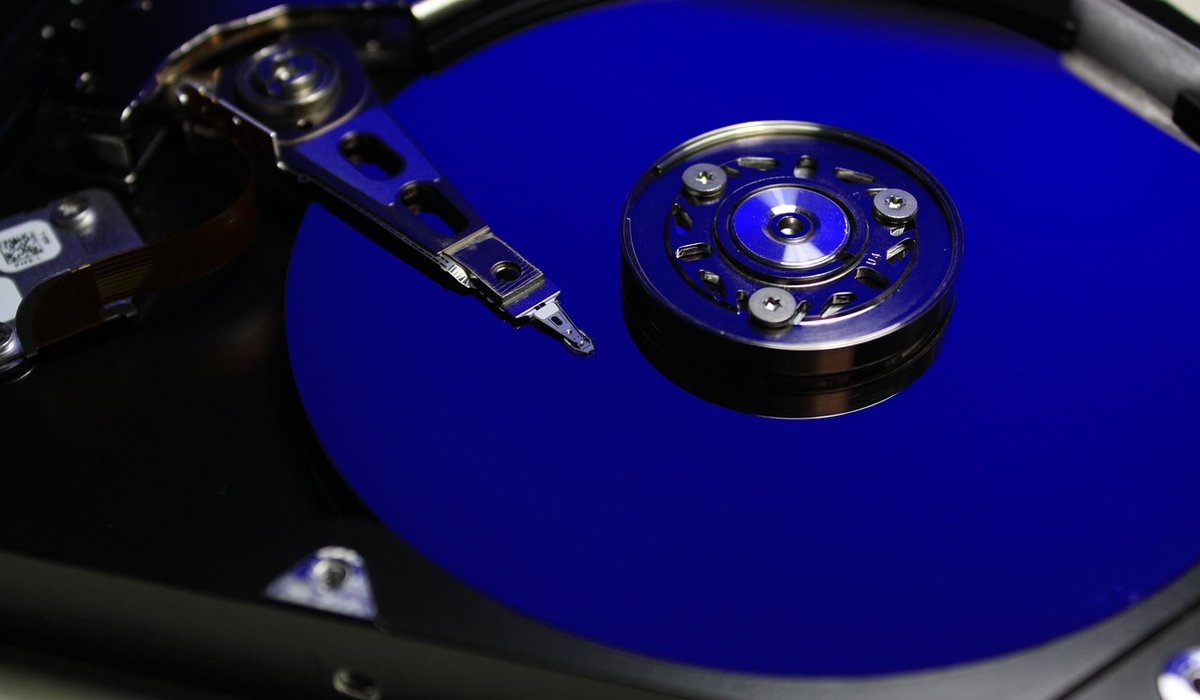
- Consider removing the drive. If you are not confident in the wipe, take the drive out and keep it, or destroy it yourself. A few well-placed holes through the platters is crude but effective, and solid-state drives can be physically broken up in the same way.
For a drive you intend to keep, a wipe with random data written over the whole disk is genuinely thorough. For most home users, the built-in reset is perfectly adequate.
Use your council's recycling services
Almost every local authority in the UK provides a way to recycle small electrical items. The simplest route is your nearest household waste recycling centre, where there are usually dedicated containers for small electricals and for larger equipment. Staff can point you to the right one.
Some councils also run kerbside collections for small electricals — often a separate bag or box collected on your usual bin day — and many offer a bulky waste collection for a small fee if you cannot transport a desktop tower or monitor yourself. Check your council's website for what is available in your area, and never leave a computer beside a public bin, where it will be treated as fly-tipping.
Selling, donating and the small print
If you decide to sell or donate, be honest about faults and be thorough about the wipe. Charities that accept computer equipment usually have their own data-handling procedures, but it is still your responsibility to remove your information before handing anything over. Retailers that sell new computers often run take-back schemes, and manufacturers sometimes do the same.
Finally, do not forget the accessories. Cables, chargers, keyboards, mice and printers all count as electrical waste and can go to the same recycling point. Batteries should be removed and taken to a shop or recycling centre that accepts them, as they can cause fires in collection vehicles. Take an hour to do it properly, and you will have cleared the clutter, protected your privacy and kept a useful pile of materials out of landfill.


Check paper, ink and cable connections before changing settings. Restarting the print service and reinstalling drivers often resolves stubborn problems.
Keep backups, avoid unknown attachments and update software promptly. If files become locked, disconnect from the network and seek trusted advice.
A clear folder structure saves time and reduces duplicate files. Use consistent names, regular clean-ups and search tools to stay organised.
Refurbished machines can offer good value when bought carefully. Check battery health, warranty terms and return policy before making a purchase.